Policy Building Blocks
This article explains the core components of AWS IAM policies for managing permissions and access controls.
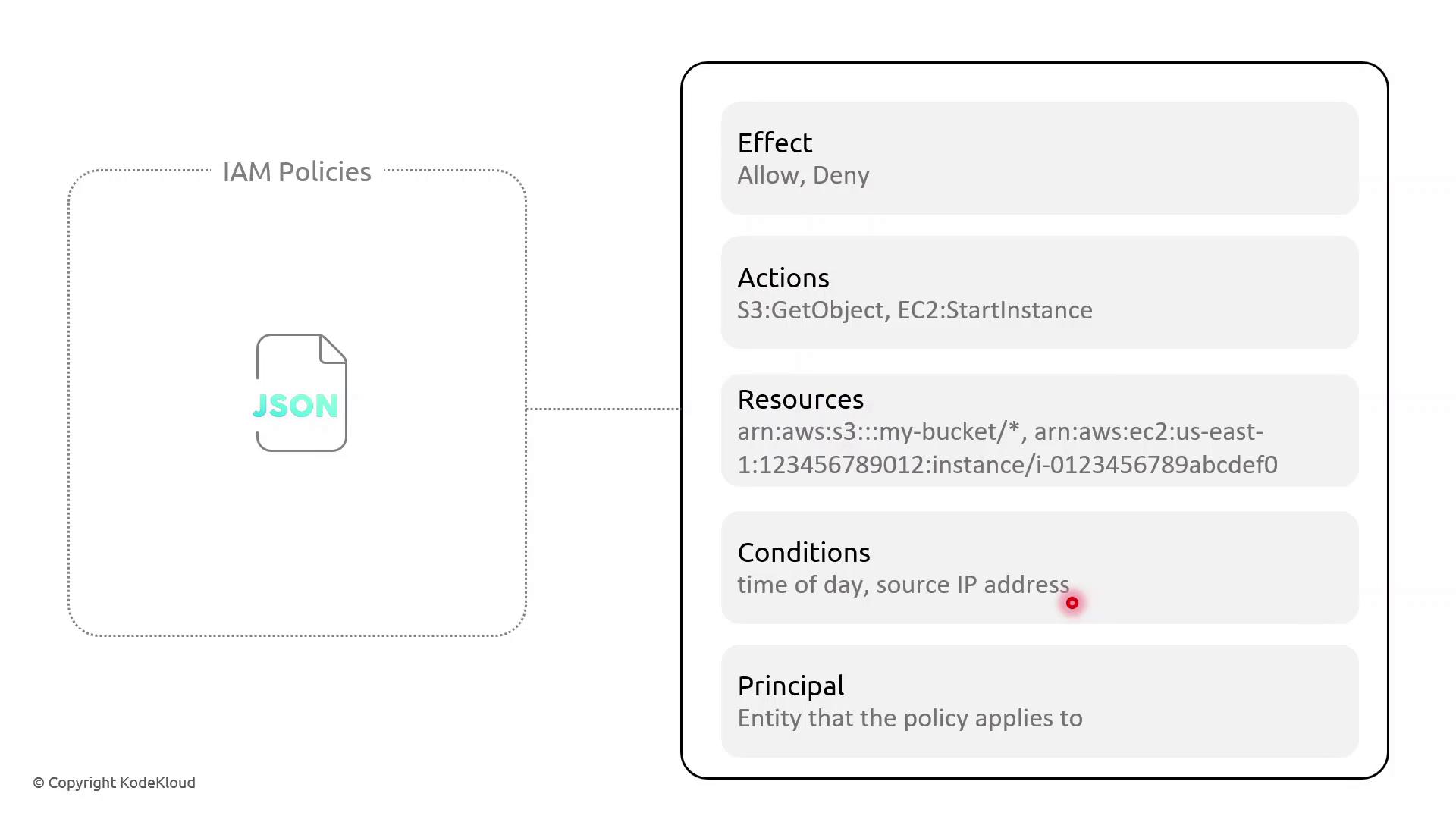
In AWS Identity and Access Management (IAM), policies are JSON documents that grant or deny permissions. Understanding the core components—Effect, Action, Resource, Condition, and Principal—allows you to craft fine-grained access controls.
Key Policy Elements
| Element | Description | Example |
|---|---|---|
| Effect | Whether to Allow or Deny the specified action | "Effect": "Allow" |
| Action | One or more AWS API operations | "s3:GetObject", "ec2:StartInstances" |
| Resource | Amazon Resource Names (ARNs) targeted by policy | "arn:aws:s3:::my-bucket/*" |
| Condition | Optional restrictions (time, IP address, MFA) | "DateLessThan": {"aws:CurrentTime":"09:00:00Z"} |
| Principal | Who the policy applies to (users, services) | "Principal":{"Service":"lambda.amazonaws.com"} |
Example: Resource-Based Policy with Time and IP Conditions
This resource-based policy denies all actions on all resources unless the request originates from specified IP ranges and occurs between 09:00–17:00 UTC:
```json theme={null} { "Version": "2012-10-17", "Statement": [ { "Effect": "Deny", "Action": "", "Resource": "", "Condition": { "NotIpAddress": { "aws:SourceIp": [ "203.0.113.0/24", "198.51.100.0/24" ] }, "DateLessThan": { "aws:CurrentTime": "2023-01-01T09:00:00Z" }, "DateGreaterThan": { "aws:CurrentTime": "2023-01-01T17:00:00Z" } } } ] }
<Callout icon="lightbulb" color="#1CB2FE">
  AWS IAM requires full ISO 8601 date/time strings (for example, `2023-01-01T09:00:00Z`). To enforce recurring daily time constraints, consider pairing policies with AWS Lambda functions or scheduled Amazon CloudWatch Events.
</Callout>

### Policy Breakdown

* **Effect**: Deny all actions when conditions aren’t met.
* **NotIpAddress**: Blocks requests outside the trusted IP CIDRs.
* **DateLessThan** and **DateGreaterThan**: Restrict access before 09:00 UTC or after 17:00 UTC.

## Demo Scenario: Enforcing Access Hours

Sarah supervises a team of junior solution architects and needs to limit their administrative tasks to business hours from managed networks. Follow these steps in the AWS IAM console:

1. Open **Policies** and choose **Create policy**.
2. Paste the JSON above, adjust the IP ranges, and set your UTC window.
3. Review, name the policy (e.g., `RestrictedBusinessHours`), and save.
4. Attach this policy to the IAM group or role for Sarah’s team.

Now, any API call outside 09:00–17:00 UTC or from unapproved IP ranges will be denied automatically.

## References

* [AWS Identity and Access Management Documentation](https://docs.aws.amazon.com/iam/)
* [AWS Lambda](https://aws.amazon.com/lambda/)
* [Amazon CloudWatch Events](https://docs.aws.amazon.com/AmazonCloudWatch/latest/events/WhatIsCloudWatchEvents.html)

---

> This tutorial explains how to create an AWS IAM policy with IP and time-based restrictions for administrative actions.

## Demo Policy with IP and Time-Based Conditions

In this tutorial, you’ll learn how to create an AWS IAM policy that restricts administrative actions to:

* Two specific source IP address ranges
* A strict time window between 09:00 – 17:00 UTC

This approach is ideal for junior administrators or use cases requiring both network- and time-based controls.

***

### Prerequisites

* An AWS account with **IAM** permissions to create policies
* Familiarity with JSON policy syntax

***

## Step 1: Open the IAM Console

1. Sign in to the [AWS Management Console](https://console.aws.amazon.com/).
2. Navigate to **IAM** → **Policies** → **Create policy**.
3. Select the **JSON** tab.

***

## Step 2: Define the Policy JSON

Paste the following JSON into the editor. This policy uses a single `Deny` statement with three conditions:

```json  theme={null}
{
  "Version": "2012-10-17",
  "Statement": [
    {
      "Effect": "Deny",
      "Action": "*",
      "Resource": "*",
      "Condition": {
        "NotIpAddress": {
          "aws:SourceIp": [
            "200.200.200.0/24",
            "200.200.201.0/24"
          ]
        },
        "DateLessThan": {
          "aws:CurrentTime": "2023-10-08T09:00:00Z"
        },
        "DateGreaterThan": {
          "aws:CurrentTime": "2023-10-08T17:00:00Z"
        }
      }
    }
  ]
}
aws:CurrentTime ISO 8601 values to reflect your desired UTC time window.
Common IAM Condition Keys
| Condition Key | Purpose | Example Value |
|---|---|---|
| NotIpAddress | Deny if source IP is outside allowed CIDRs | ["200.200.200.0/24", "200.200.201.0/24"] |
| DateLessThan | Deny if current time is before this UTC timestamp | "2023-10-08T09:00:00Z" |
| DateGreaterThan | Deny if current time is after this UTC timestamp | "2023-10-08T17:00:00Z" |
Step 3: Review and Create
- Click Next.
- Provide a Name (e.g.,
JuniorAdminsPolicy) and an optional Description. - Review the settings, then choose Create policy.
Search for your newly created policy by name in the IAM console to confirm that your IP and time-based restrictions are in place.