Subnet
This article explains AWS subnets, their types, requirements, and configuration considerations within a Virtual Private Cloud.
In AWS, a subnet is a contiguous range of IP addresses within a Virtual Private Cloud (VPC). Each subnet resides in a single Availability Zone (AZ) and determines where resources—such as EC2 instances—are placed. Selecting a subnet implicitly chooses the AZ for those resources, enabling high availability and fault isolation.
What Is an AWS Subnet?
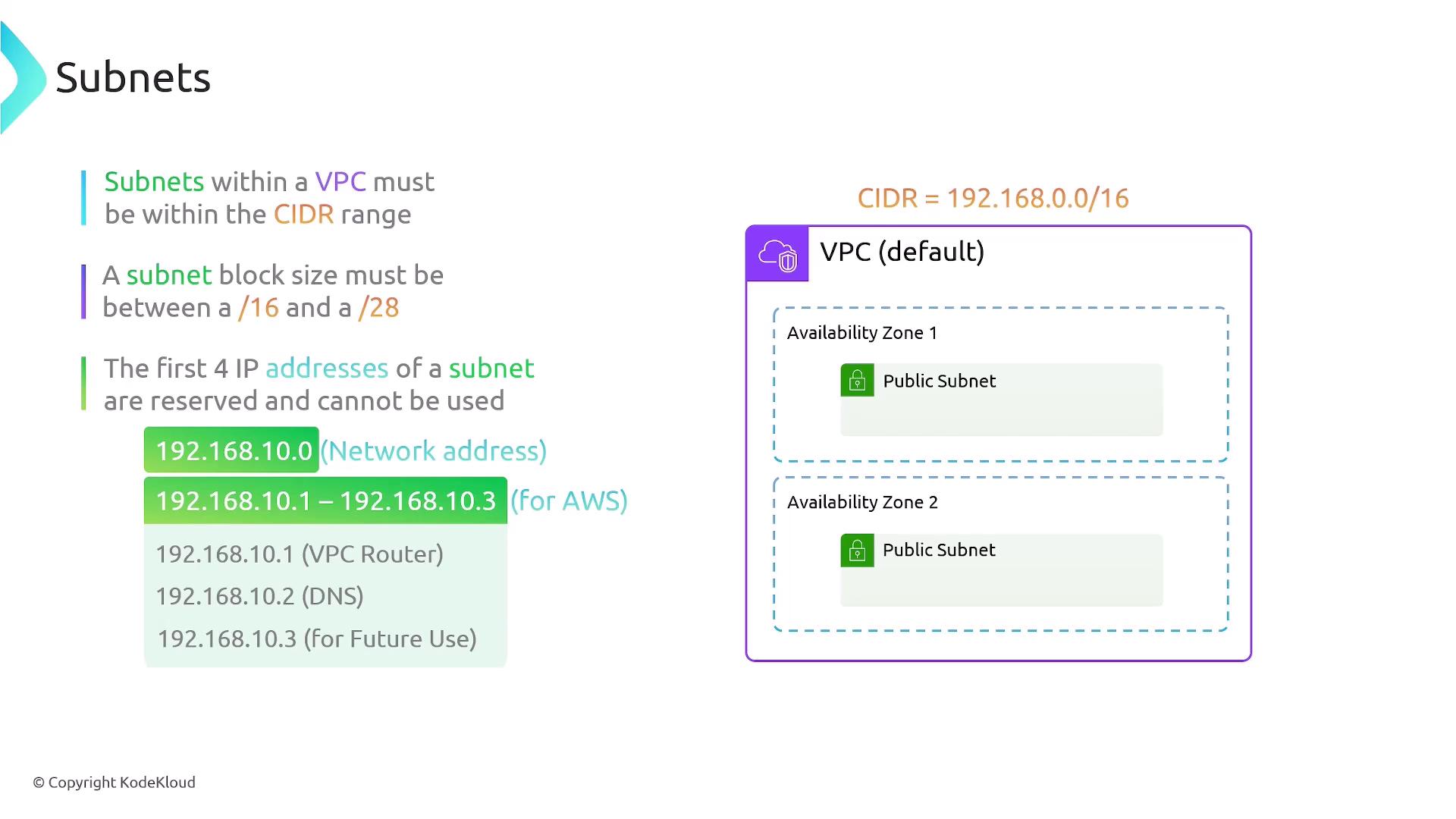
- A subnet’s CIDR block must be a subset of its VPC’s CIDR block.
- AWS supports subnet sizes from
/16(65,536 IPs) down to/28(16 IPs). - You distribute subnets across multiple AZs to increase resilience.
Example:
- Subnet A:
192.168.10.0/24inus-east-1a - Subnet B:
192.168.20.0/24inus-east-1b
By spreading workloads across AZs, you achieve higher availability and withstand AZ-level failures.
Public vs. Private Subnets
| Subnet Type | Route Target | Typical Use Cases |
|---|---|---|
| Public | Internet Gateway | Web servers, load balancers |
| Private | NAT Gateway | Databases, application servers |
- Public subnets have a route to an Internet Gateway (IGW) for direct internet access.
- Private subnets use a NAT Gateway (or NAT instance) for outbound internet connectivity without exposing resources to inbound traffic.
Subnet Requirements
- CIDR containment\ Your subnet’s CIDR must lie within the VPC’s CIDR block.
- Valid: VPC
192.168.0.0/16, Subnet192.168.10.0/24 -
Invalid: VPC
192.168.0.0/16, Subnet10.100.1.0/24 -
Reserved IP addresses\ AWS reserves five IPs in each subnet:
| Address Offset | Purpose |
|---|---|
.0 |
Network address |
.1 |
VPC router |
.2 |
DNS |
.3 |
AWS future use |
/.last |
Broadcast address |
- Size constraints
- Minimum:
/28(16 IPs) - Maximum:
/16(65,536 IPs)
Configuration Considerations
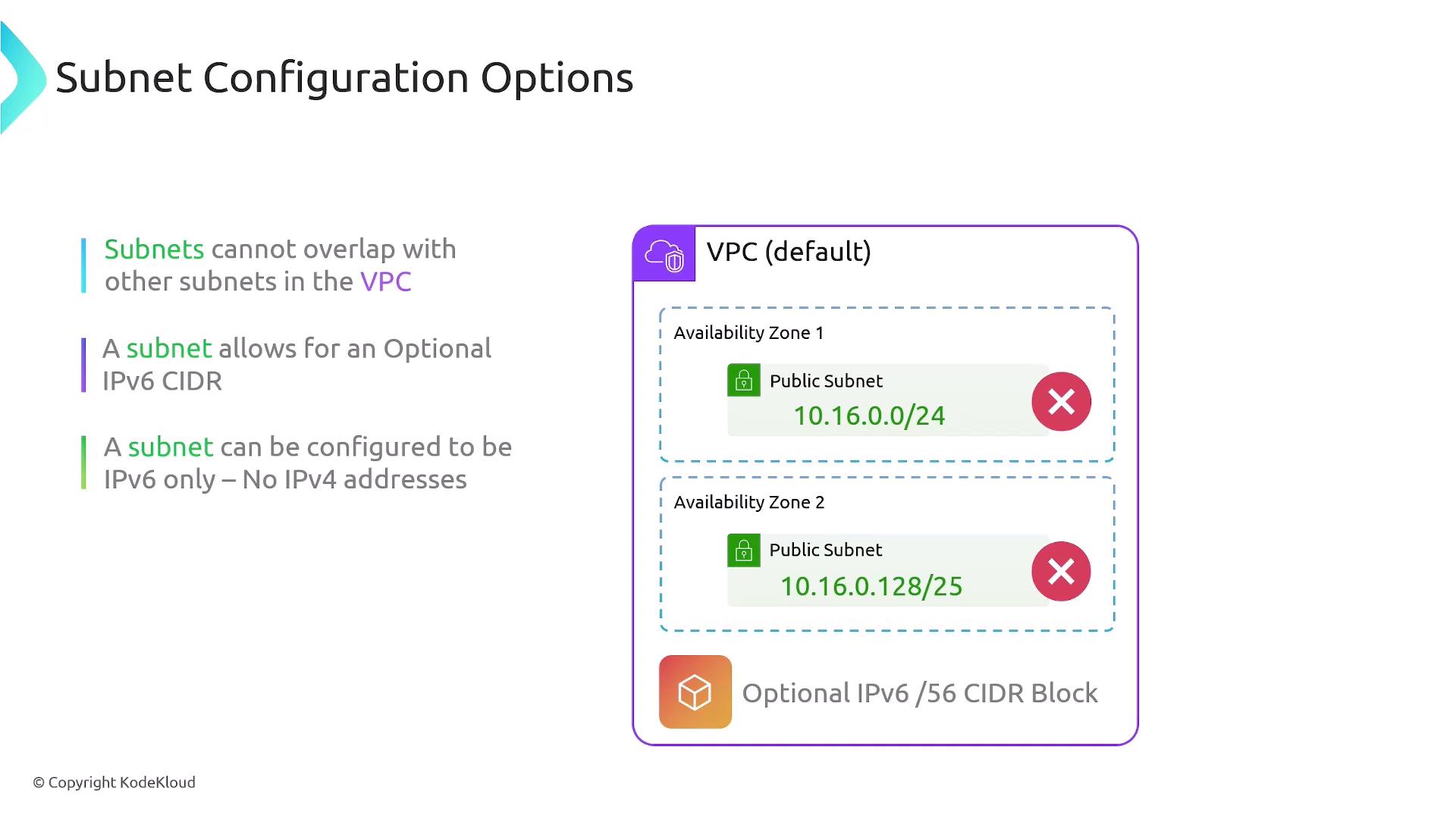
- No overlapping CIDRs within the same VPC. Overlapping is only permitted across distinct VPCs.
Warning
Defining overlapping CIDR blocks in the same VPC causes route conflicts and deployment failures.
Example of an invalid overlap:
- IPv6 support: You can associate a
/56IPv6 CIDR block with your VPC. Subnets may be configured as: - IPv4 only
- IPv6 only
-
Dual-stack (IPv4 + IPv6)
-
Default communication: All subnets in a VPC can communicate without extra route entries.
-
Auto-assign public IP: Enabling this on a subnet ensures every instance launched receives a public IPv4/IPv6 address in addition to its private IP.
Summary
- Subnets are AZ-scoped IP ranges within a VPC.
- Choose public or private routing by using an Internet Gateway or NAT Gateway.
- Support for IPv4, IPv6, or dual-stack.
- CIDR blocks must be non-overlapping and nested within the VPC’s CIDR.
Links and References
Key Takeways
- Subnets are a range of IP address within a VPC
- Subnets reside within a single Availability Zone
- Subnets can be made public/private using Internet Gateways and Nat Gateways
- Subnets can be configured for IPv4 and/or IPv6
- Subnets cannot overlap with other subnets in a VPC