LambdaEdge
This article explains how to use CloudFront and Lambda@Edge to run custom code at AWS edge locations for improved content delivery.
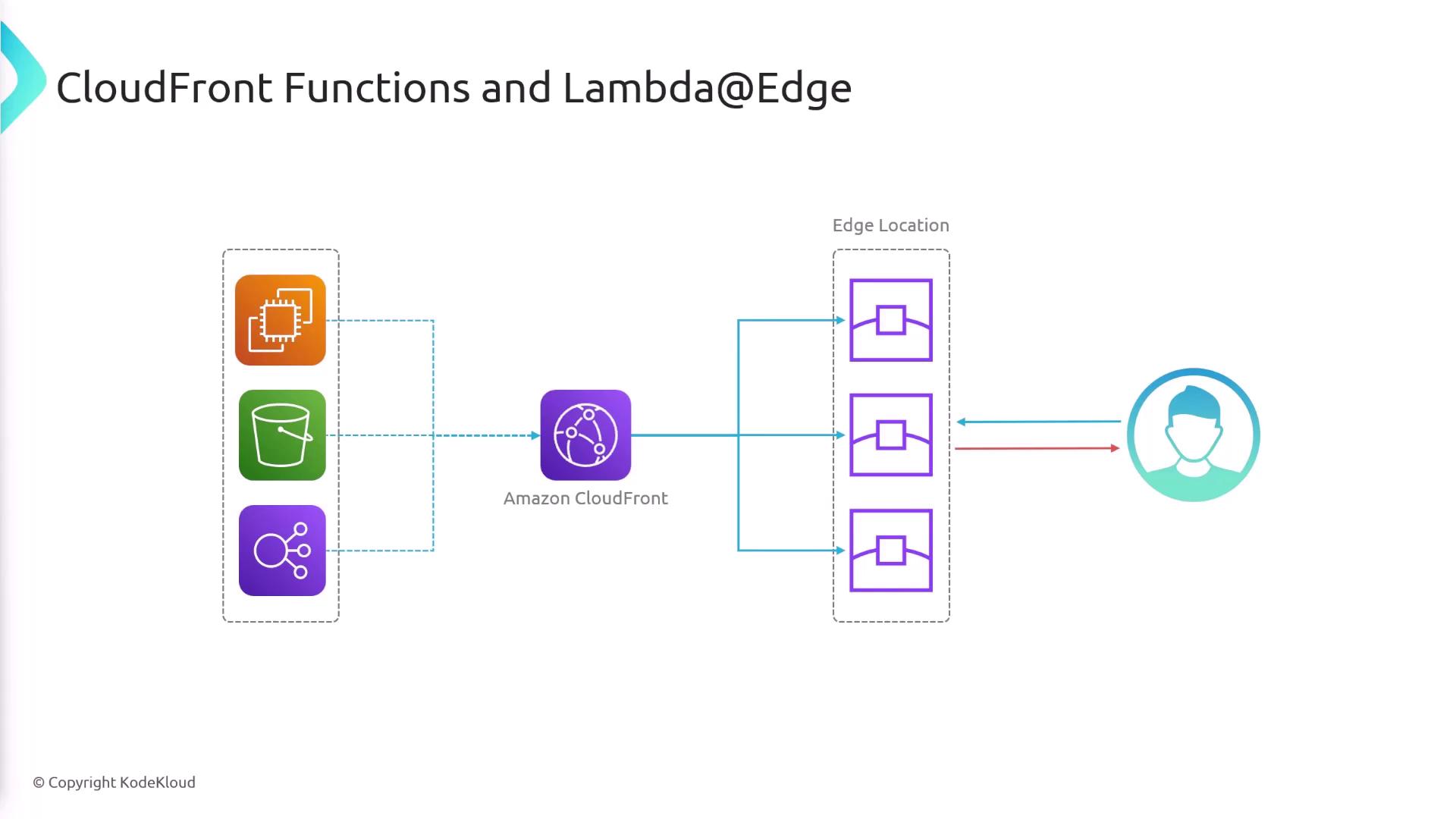
Amazon CloudFront delivers content from the nearest AWS edge location, reducing latency and improving performance. By integrating CloudFront Functions and Lambda\@Edge, you can inject custom logic into the request/response pipeline—right at the edge.
Supported Lifecycle Events
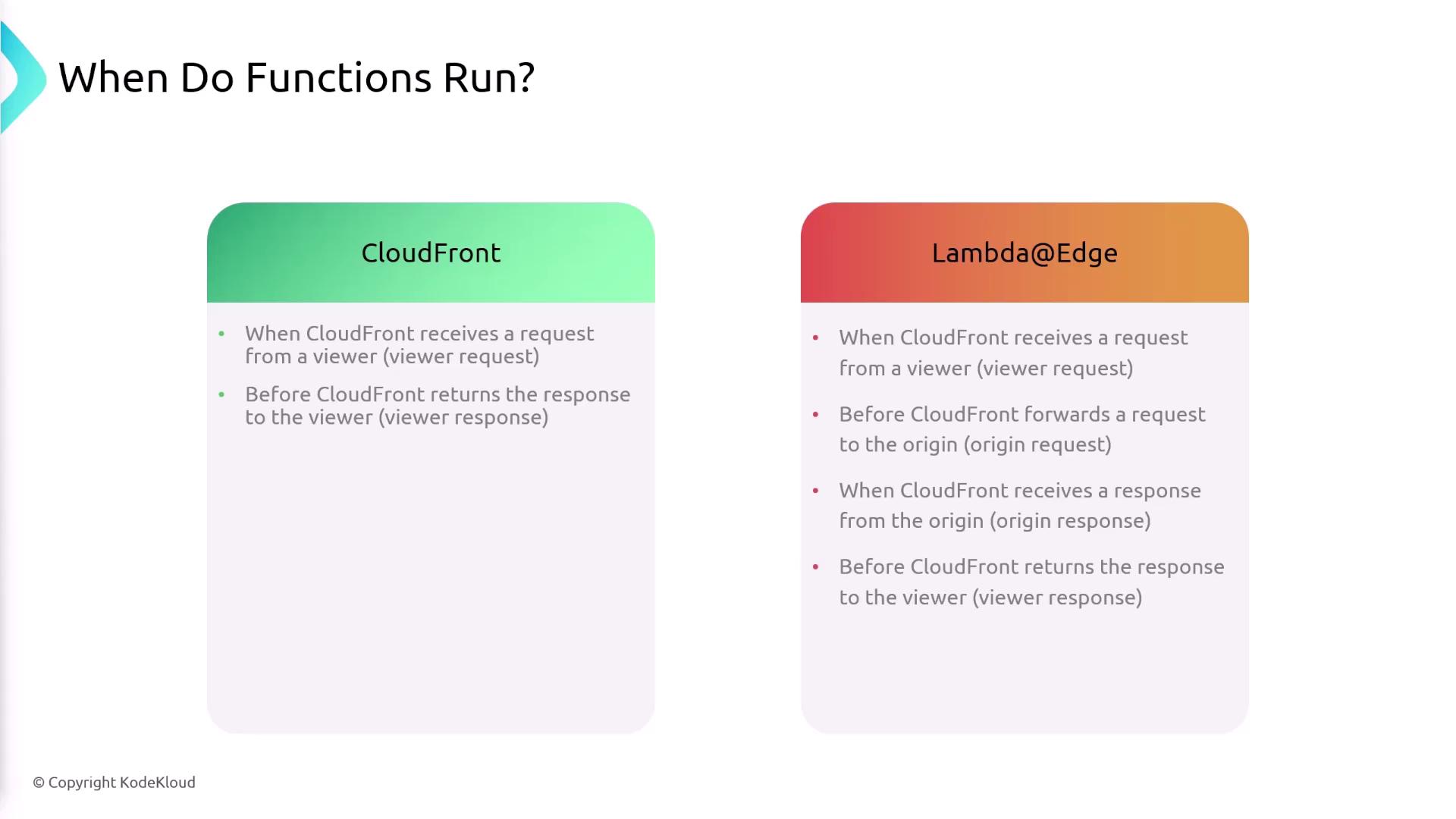
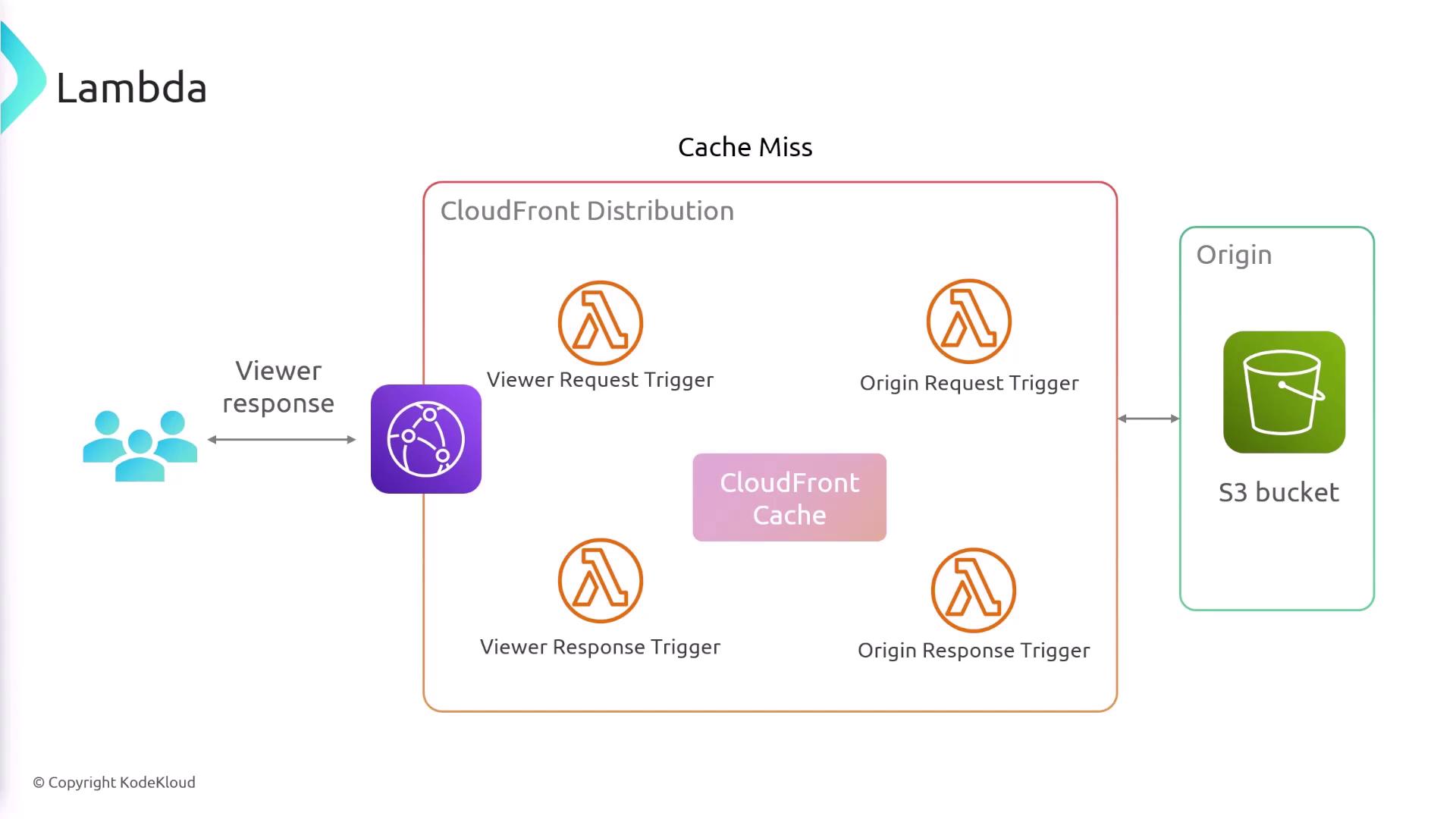
Edge functions trigger at specific points in CloudFront’s request/response cycle. Below is a quick reference:
| Function Type | Triggers |
|---|---|
| CloudFront Functions | viewer-request, viewer-response |
| Lambda\@Edge | viewer-request, origin-request, origin-response, viewer-response |
Detailed Request Flow
-
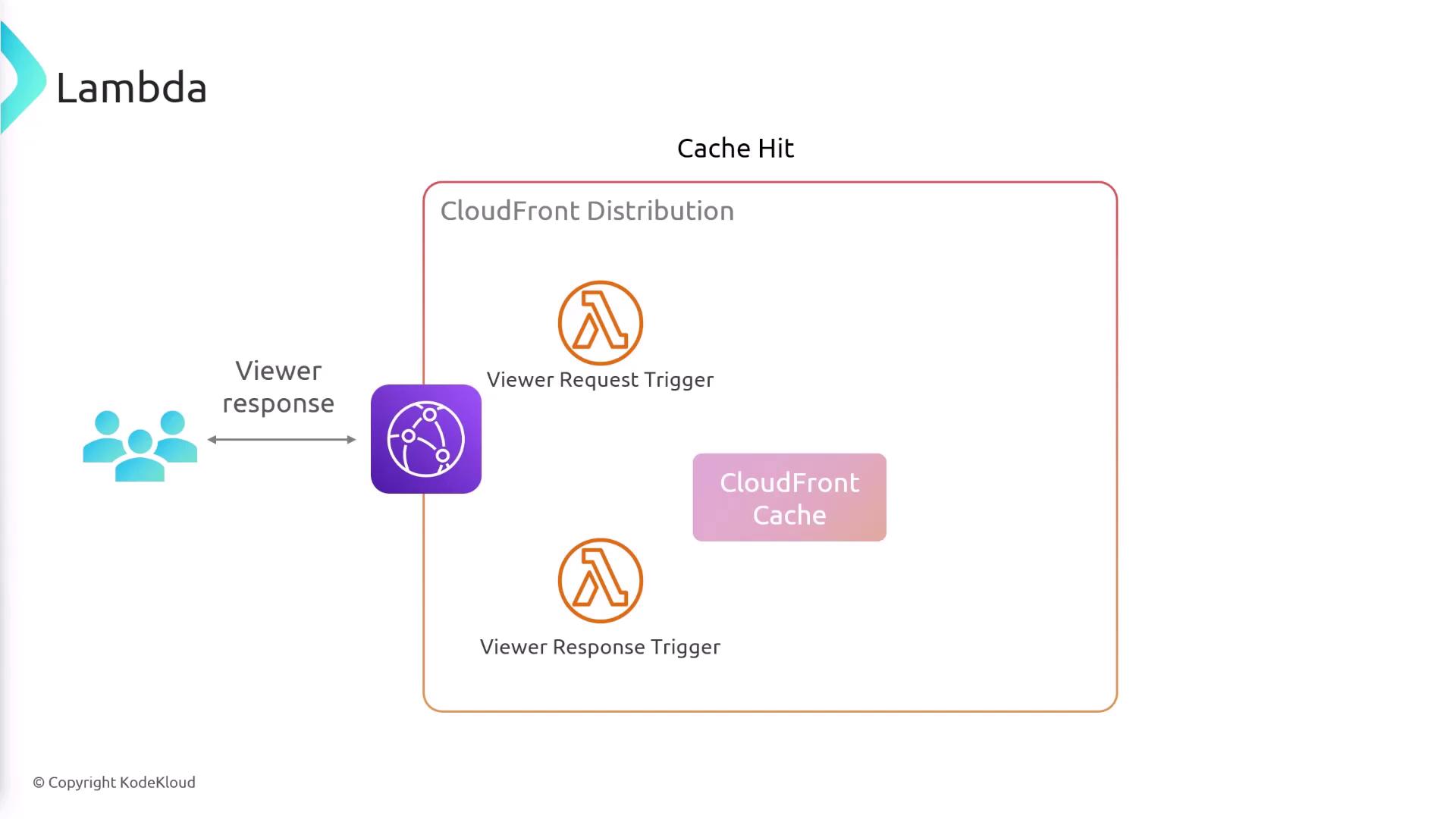
Viewer Request\ At the viewer edge, both CloudFront Functions and Lambda\@Edge can inspect or modify incoming HTTP requests.
-
Cache Hit\ If the requested object is in cache, CloudFront returns it immediately. Use the
viewer-responsetrigger to adjust headers or body content before it reaches the user. -
Cache Miss\ When an object isn't cached, CloudFront makes an origin request:
- Lambda\@Edge can run custom code during this origin request.
-
After processing, the request is forwarded to your origin (e.g., Amazon S3, HTTP server).
-
Origin Response\ On receiving data from the origin, use the
origin-responseLambda\@Edge trigger to transform or filter the response before caching. -
Viewer Response\ Finally, before dispatching to the viewer, both function types can adjust the response payload or headers.
Common Use Cases
CloudFront Functions
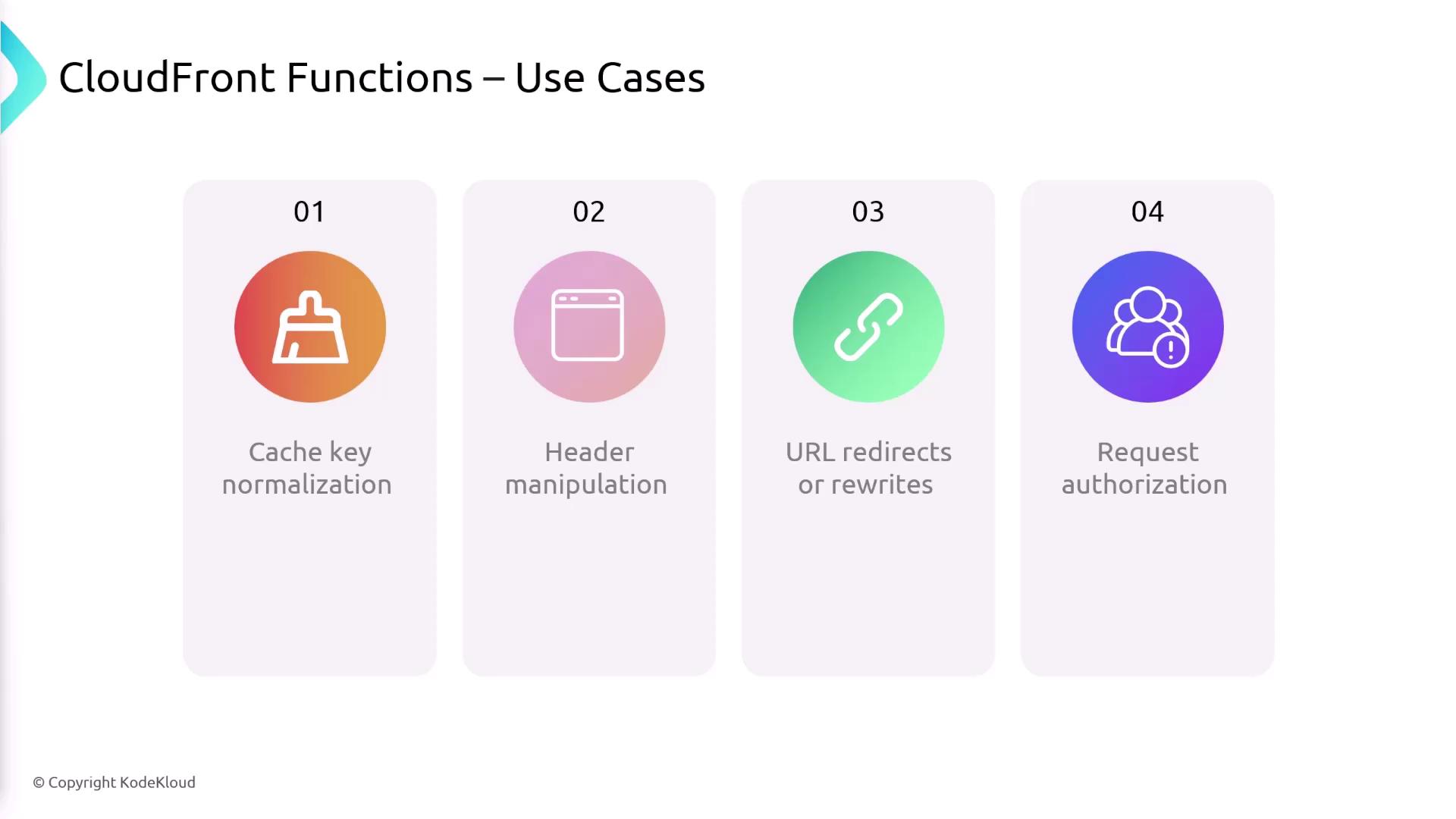
- Cache Key Normalization\ Transform request attributes (like query strings or headers) to optimize cache keys.
- Header Manipulation\ Add, modify, or strip HTTP headers in requests or responses.
- URL Redirects / Rewrites\ Implement redirects or rewrite URLs at the edge without touching your origin.
- Request Authorization\ Perform lightweight token validation (e.g., JWT) by inspecting authorization headers.
Lambda\@Edge
- Complex or Long-Running Logic\ Execute heavier workloads requiring more CPU, memory, or execution time.
- Third-Party Libraries\ Package external dependencies with your function for richer functionality.
- External Network Access\ Connect to APIs, databases, or other services outside the AWS network.
- File System Operations\
Read/write temporary files in
/tmpor process request bodies with custom logic.
Feature Comparison
Choosing the Right Option
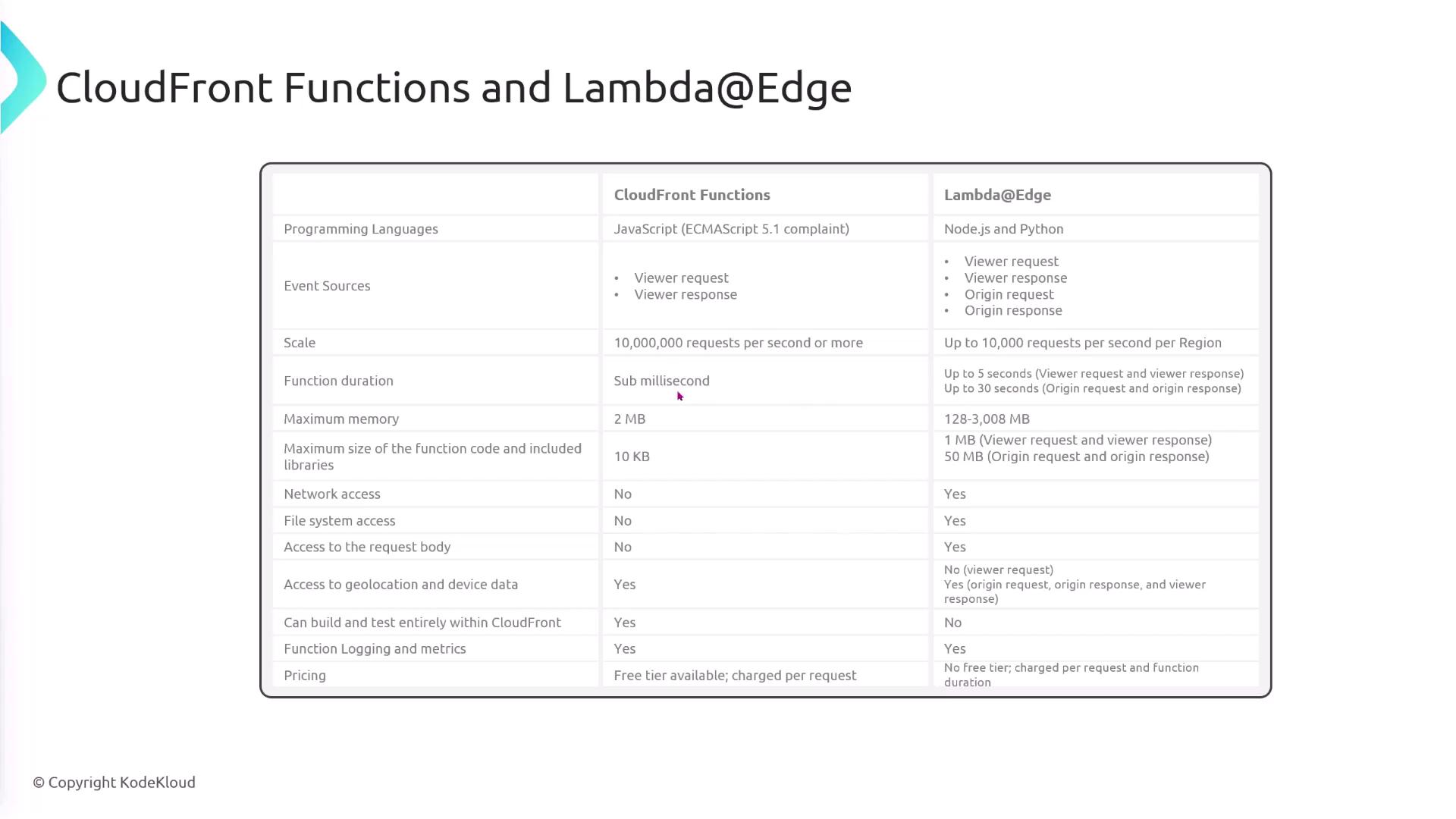
| Criteria | CloudFront Functions | Lambda\@Edge |
|---|---|---|
| Execution time | \< 1 ms | Up to 5 minutes |
| Supported languages | JavaScript (ECMAScript 6) | Node.js, Python, etc. |
| Package size & libraries | Must be very small, no external packages | Supports larger bundles & dependencies |
| Network & filesystem | No | Yes |
Summary
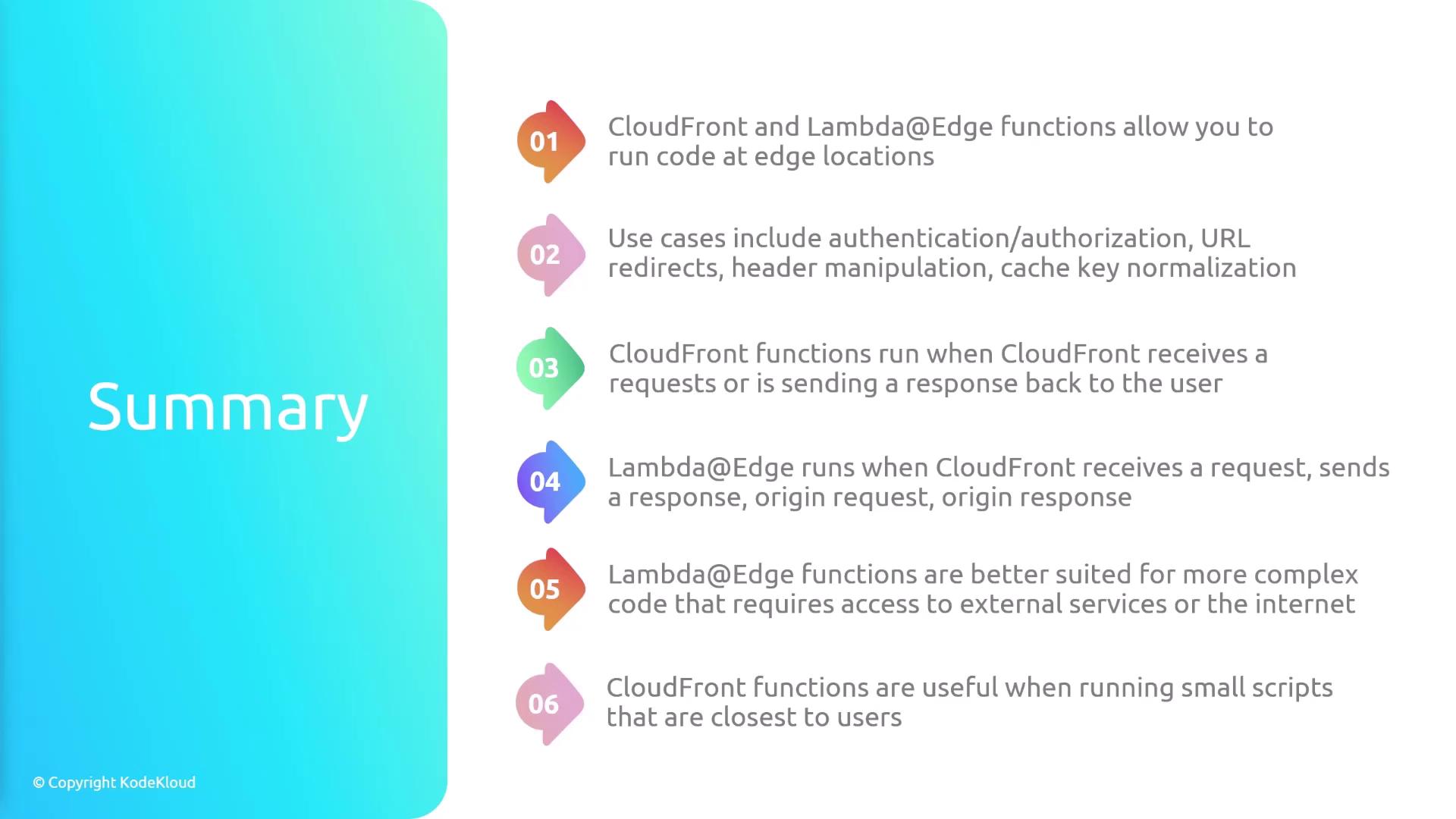
Both CloudFront Functions and Lambda\@Edge extend your CDN with programmable logic at AWS edge locations.
- Choose CloudFront Functions for lightweight, high-scale tasks such as header manipulation, redirects, or cache key normalization.
- Opt for Lambda\@Edge when you need longer execution, external network access, or advanced libraries.