Cilium Overview
This article provides an overview of Cilium, a Container Network Interface solution for Kubernetes, focusing on its features, architecture, and use cases.
In this lesson, we’ll dive into Cilium, the Container Network Interface (CNI) solution used throughout this course. Developed by Isovalent, Cilium is available as an open source edition and a paid subscription. We’ll focus on the open source version.
CNCF Project and Adoption
Cilium is part of the Cloud Native Computing Foundation landscape. Originally released in 2015, it has seen rapid adoption—boasting nearly 20,000 stars on GitHub as of this recording.
Unified Networking, Observability & Security
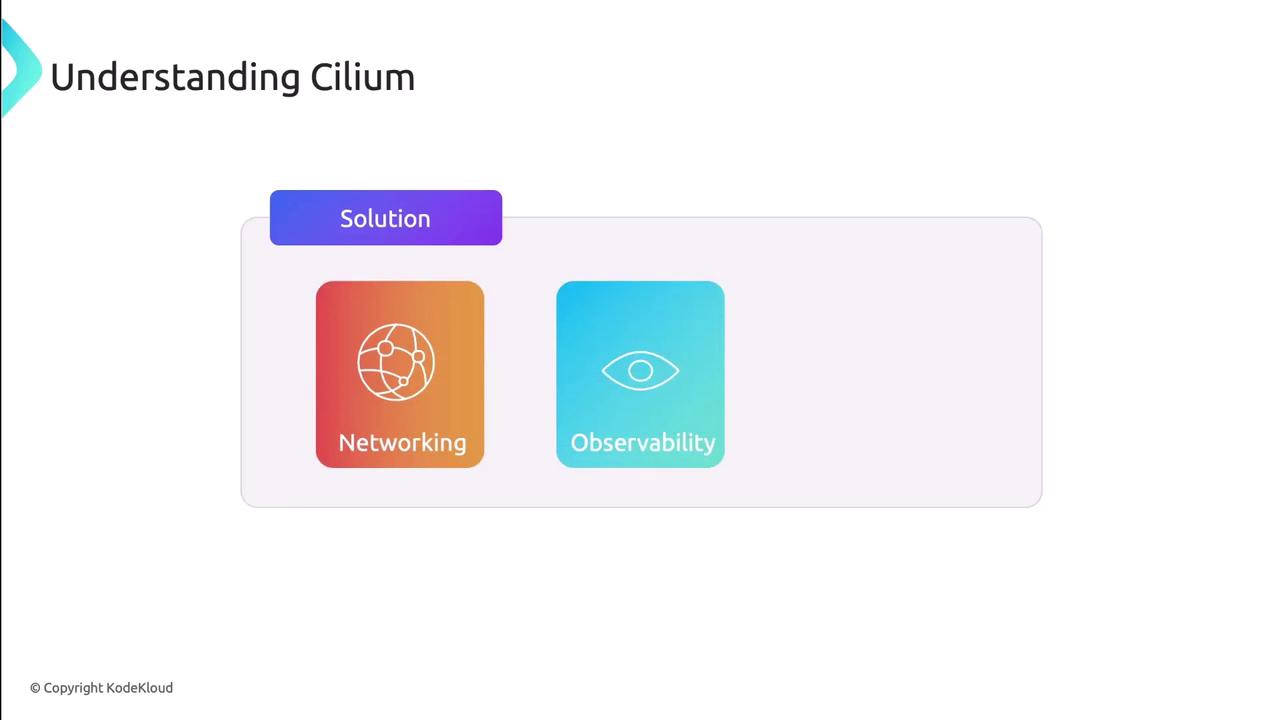
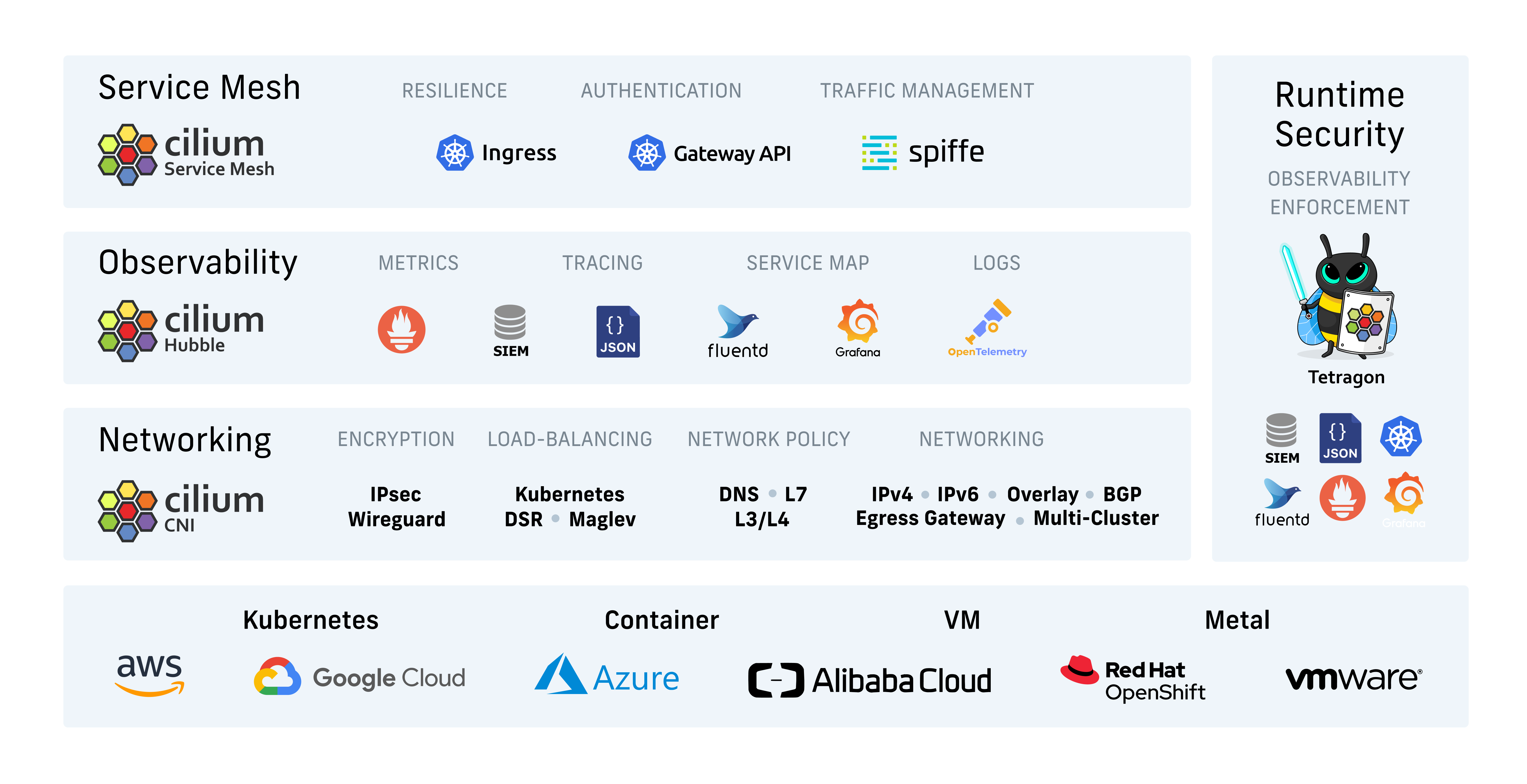
Cilium delivers a single platform for:
- Networking
- Observability
- Security
Additionally, Cilium can function as:
- A service mesh
- A load balancer between services
- An encryption provider
Its flexibility and advanced capabilities make it ideal for modern cloud-native deployments.
How Cilium Works
At its core, Cilium leverages eBPF to implement a high-performance, Layer 3 network that is protocol-aware at Layer 7. It can replace kube-proxy and enforce network policies at Layers 3, 4, and 7.
Note
By using eBPF, Cilium achieves features like bandwidth management and fine-grained policy enforcement without kernel modifications.
eBPF Overview
[eBPF][ebpf-io] (Extended Berkeley Packet Filter) is a Linux kernel technology that allows sandboxed programs to run safely in kernel space. Developers can inject custom logic at runtime—without adding kernel modules or changing kernel source code.
| Use Case | Description |
|---|---|
| High-performance networking | Packet processing directly in the kernel |
| Load balancing | Efficient traffic distribution |
| Security enforcement | Stateful firewalls and IDS |
| Packet filtering | Fine-grained packet selection |
| Profiling & tracing | In-kernel observability and performance insights |
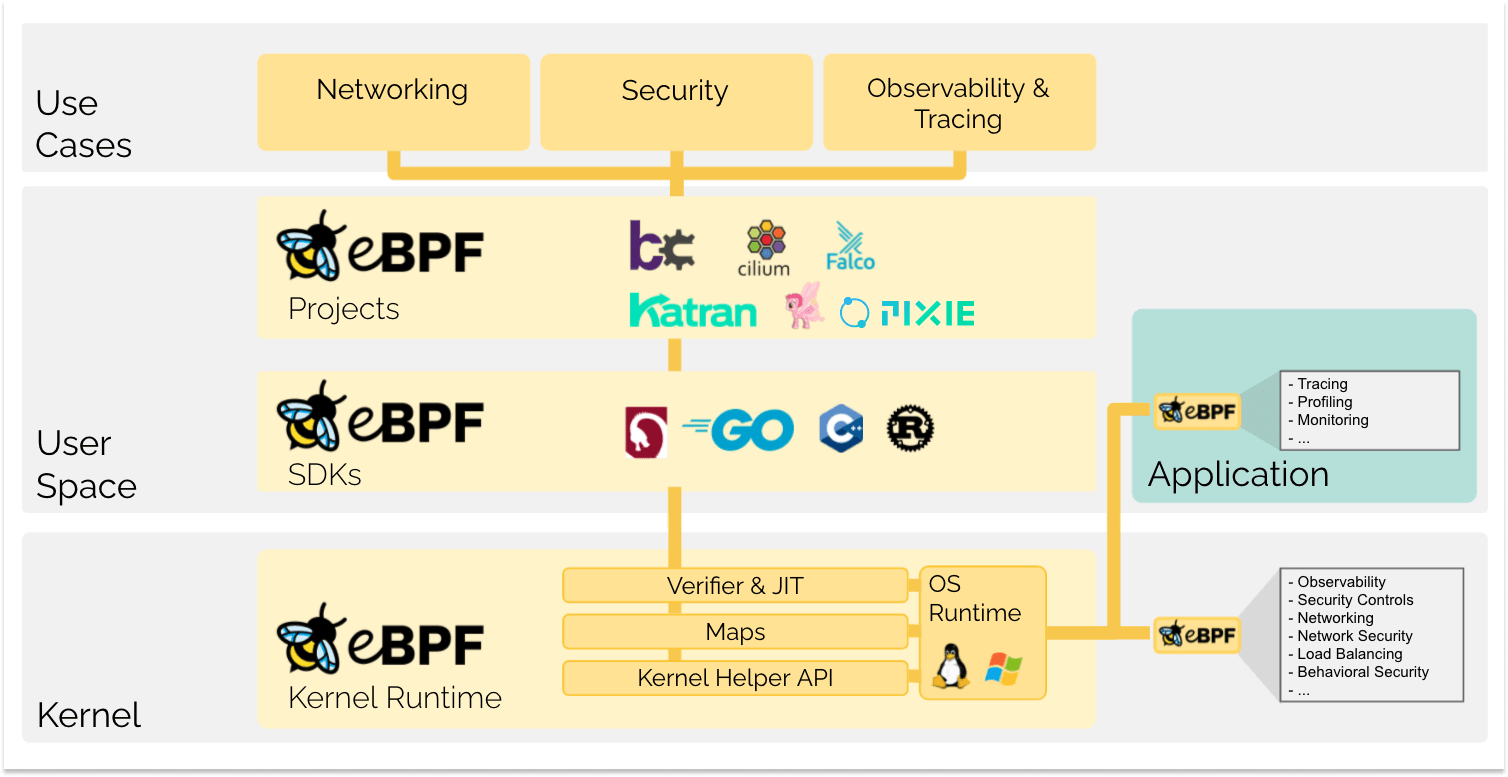

Cilium Agent
On every Kubernetes node, a Cilium agent manages the eBPF programs that handle container networking, security policies, and observability hooks.
Hubble: Observability & Security
- Facilitates distrubted networking and security observability
- Enables visibility into networking, services and security across nodes and clusters
Hubble is a distributed networking and security observability platform built on Cilium and eBPF. It provides visibility into:
- Pod-to-pod communications
- Service dependency maps
- Security events
- Multi-cluster traffic flows

Warning
Enabling Hubble in production requires careful consideration of resource usage and data retention policies.
Advanced Network Policies
Cilium supports both Layer ¾ and Layer 7 policies, using workload identities derived from Kubernetes labels instead of IP addresses:
| Layer | Controls | Protocols |
|---|---|---|
| 3 & 4 | IP, CIDR, port-based allow/deny | TCP, UDP, ICMP |
| 7 | API-aware filtering and routing | HTTP, gRPC, Kafka |
Next Steps
Having covered Cilium’s architecture and components, the next step is to install and configure it in your Kubernetes cluster. Follow the [Cilium Documentation][cilium-docs] for setup instructions and best practices.
Links and References
This article explores installation methods and observability options for Cilium on Kubernetes using CLI, Helm, and Hubble.
Before diving into the demo, let’s explore the key tools, installation approaches, and observability options for Cilium on Kubernetes.
1. Cilium CLI: Your Primary Management Tool
The cilium-cli is the go-to command-line utility for installing, managing, and troubleshooting Cilium:
- View the overall status of Cilium components
- Verify network connectivity across endpoints
- Run built-in network tests
- Enable Hubble for deep observability
- Install Cilium and addons
# Check the health of your Cilium cluster
cilium status

# Run a connectivity test between pods
cilium connectivity test

# Enable Hubble for network observability
cilium hubble enable

# Install Cilium into your Kubernetes cluster
cilium install
Note
The Cilium CLI v0.14+ supports both direct CLI installs and Helm-style deployments, giving you full flexibility.
2. Installation Methods: CLI vs. Helm
Cilium can be installed in two interchangeable ways:
| Installation Method | Command Example | Benefits |
|---|---|---|
| Cilium CLI | cilium install |
All-in-one tool; built-in validation |
| Helm Chart | helm install cilium cilium/cilium --version 1.x.y |
Familiar Helm workflow; chart config |
In this demo, we’ll walk through both methods side by side.
3. Observability with Hubble
[Hubble][hubble-docs] provides real-time visibility into network flows, service dependencies, and security policies. You can enable it:
- During Cilium installation:
- After Cilium is up and running:
To interact with Hubble:
# Install Hubble CLI
curl -L --remote-name https://github.com/cilium/hubble-cli/releases/latest/download/hubble-linux-amd64.tar.gz
tar xzvf hubble-linux-amd64.tar.gz
sudo mv hubble /usr/local/bin/

# Check Hubble status
hubble status

# Stream live network events
hubble observe